

Business networks
Multi-site holdings, franchises, partner networks: headquarters distributes unified documents to branches and collects reports from the network. Kamzan holds this flow together with separate permissions and consistent branding.


Kamzan for business networks
One tool for every company in the network, each with its own brand
Holdings, consortia, associations, coworking spaces: business networks suffer from different ways of working and tools chosen independently by each company — shadow IT. With Kamzan document exchange is harmonised on a single platform, without anyone losing their identity.
Every company in the network has its own account with logo and colours, a shared hierarchical document structure and the possibility to extend brand-promotion features to its own contacts. Data stays on an infrastructure hosting only your network, in Europe.
What a network needs
Typical needs of multi-site groups, franchises and partner networks.
-
Separate permissions per branch
Each branch, partner or franchisee accesses only its own area, while headquarters has the overall view.
-
Unified distribution
Price lists, contracts, manuals and procedures published once by headquarters and always up to date for the whole network.
-
Collection from branches
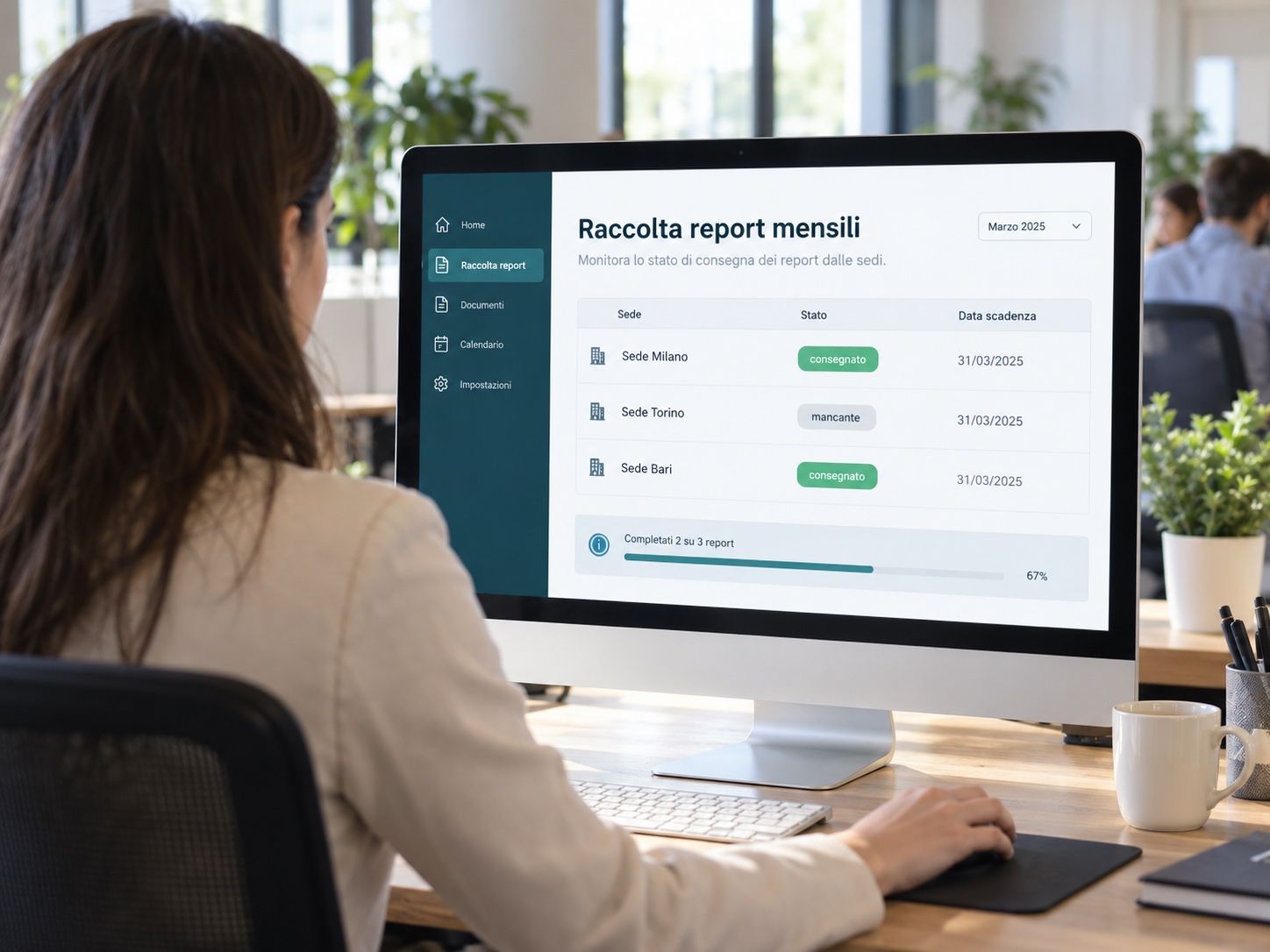
Periodic reports, invoices and standardised documents collected from the network through guided flows.
-
Consistent branding
Custom domain and uniform visual identity: the network perceives a single platform, not a generic cloud.
Between headquarters and branches: the network document flow
Example: how headquarters distributes and collects documents across a network of branches and partners.
-
1 Headquarters → Branch Headquarters publishes updated price lists, contracts and manuals: all branches immediately see the current version.
Files -
2 Branch → Headquarters Branches upload periodic reports and invoices following standardised templates defined by headquarters.
Flow -
3 Branch → Headquarters Network contracts and agreements e-signed by branches, with central tracking.
kSign -
4 Headquarters → Branch All documents stay archived centrally, with separate permissions for headquarters and branches.
Files
What you share
The documents headquarters distributes and those it collects from the network
Published once, always up to date for everyone; collected with standard templates, without chasing anyone.
- Price lists, catalogues and product sheets
- Operating manuals and network procedures
- Network or affiliation contracts and agreements
- Periodic reports and invoices from branches
- Marketing materials and brand identity
- Minutes, resolutions and association documents
- Documentation shared between parent and subsidiaries

Central governance, local autonomy
Headquarters has the overall view; each company works in its own space, with its own brand.
For headquarters or the lead company
- Separate accounts for every company, with their own visual settings and separate permissions.
- Hierarchical document structure: headquarters defines the backbone, each company adds its own.
- Unified distribution: price lists and procedures published once, updated for everyone.
- Collection from branches with standard flows and delivered/missing status per site.
- Infrastructure hosting only your network, with data kept in Europe.
For the companies in the network
- The cloud service included in the membership fee, the desk rental or the group perimeter.
- Their own logo and colours on the platform, shares and e-mails: no loss of identity.
- Internal and external exchange with the same security guarantees as the lead company.
- Network contracts e-signed, with central tracking.
Beyond sharing
The functions designed for those who work as a network
Multi-brand, multi-tenancy and trustworthiness: the requests of the networks using Kamzan became ecosystem functions.
-
Multi-tenancy
One platform, many workspaces: each company sees only its own, headquarters sees the whole.
-
Multi-brand
Different logo, colours and sharing pages for every company in the network.
-
Hierarchical structure
Network folders defined by headquarters, extended independently by each company.
-
Dedicated infrastructure
Your network’s Kamzan lives on servers hosting only your system, in Europe.
-
Groups and network directory
With kontacts contacts, branches and partners are in a shared directory; groups allow a single share for everyone.
-
Conditions dedicated to the network
A single contract for the lead company and activations for every connected entity: holdings, consortia, associations, coworking spaces.
Kamzan products for the network
The modules that hold the network together, from distribution to document collection.
-
Files
Separate areas per branch with granular permissions, unified distribution and central archive.
Discover the product -
Flow
Guided flows to collect reports, invoices and standardised documents from the network’s branches.
Discover the product -
kSign
E-signature of network contracts and agreements, with central tracking of all signatures.
Discover the product -
kontacts
Directory of branches, partners and contacts shared centrally across the whole network.
Discover the product

 Alex
Alex